

Use different models
Run different steps on different harnesses, models and efforts
Run cheap steps on a small model and expensive steps on a large one by giving each step its own style. Define the styles in the workflow, or use the ones in Settings > Presets, then name one per step:
[styles.codex_review]harness = "codex"model = "gpt-6-sol"effort = "high"
[steps.implement]style = "balanced"prompt = "Implement this goal: {{ inputs.goal }}"next = "steps.review"
[steps.review]style = "codex_review"prompt = "Review the change. Report what you find. Do not change files."next = "steps.done"
balanced ships with Orbital and names no harness, so implement runs on the harness of the run’s preset. review always runs on Codex. Styles and personas defines styles, and Give steps a style walks through a complete example.
Orbital works out the harness, model, effort, connection and provider separately for every step. So a step that changes only its effort keeps the model it would have had.
Before you start
Section titled “Before you start”- Sign in to each harness you want to use. Follow Install Orbital before you try a model.
Name models in styles
Section titled “Name models in styles”A style names a model with harness and model, and how hard it thinks with effort. Put styles in the workflow, in a style file that several workflows use, or in Settings > Presets, where every workflow can name them. A style in Settings wins over a file style of the same name.
The harness names are claude, codex, opencode and pi. Effort accepts minimal, low, medium, high, xhigh, max and ultra, but each harness accepts only some of them. Orbital refuses a harness and effort that do not go together before any turn starts, so a run does not fail halfway through.
Pick a preset for the run
Section titled “Pick a preset for the run”Settings > Presets marks one preset as in use. On a fresh install it is the shipped claude; Orbital also ships codex. A run started without a preset follows the preset in use: switching the preset in use moves the run at its next turn. Choose another style in the Start page’s preset picker, or pass style to start_run, to pin the run to it. A later switch of the preset in use then does not move the run. The run’s preset comes after everything the workflow sets, so a step’s own keys and styles, its groups’ styles and the workflow’s style still come first. Which harness a step uses explains which steps follow it.
When the harness of the preset in use runs out of quota, a banner offers to switch the preset in use. Orbital never switches it by itself.
To start a run on a harness by name, use --harness with orbital run start, or harness and model in start_run or the API. A harness named this way removes harness, model, effort, connection and provider from every layer, so every step runs on it, as when you switch a run’s harness. Harness sub-tables, personas and permissions stay. A model named this way becomes the run’s model on its harness: a sub-table model on the step, in its styles or in its groups’ styles still wins over it, and the workflow’s own style does not. Models and prices lists every suggested model and its price, and explains how Orbital estimates a run’s cost.
Resolution order
Section titled “Resolution order”Orbital decides each setting on its own, from the first of these that sets it:
- the step’s own keys
- the step’s
style, where later names in a list win - the styles of the groups that hold the step, the innermost first; an import step is a group for the steps it brings in
- the workflow’s top-level
style - the run’s preset: the one it was started with, or else the preset in use
- the defaults in Settings > Harnesses
A key in a harness sub-table, such as codex.model, applies only when that harness runs the step, and there it beats the plain model beside it. Workflow file gives the exact order.
Sub-table keys such as claude.model, codex.effort and opencode.provider work in styles and on agent steps. Orbital checks their names and values even when the step runs on another harness. So a typo shows up when you validate the workflow, not on the turn that needs it. Harness-specific keys lists them all.
An imported workflow’s styles join the styles of the workflow that imports it, and the importer’s own styles of the same name win. The import step’s style reaches every step it brings in. See Reuse a workflow.
See which model a run used
Section titled “See which model a run used”The run page names the harness and the model the latest turn reported. They appear in the footer under the composer, beside the workflow, the branch and the pull request. Where the composer is not on screen, such as on an ended run, the header names them instead.
Before a turn reports a model, the page shows the model the turn asked for, marked “(configured)”, or “Model not known yet”. A run that used several models shows the latest with a count of the others. The transcript records the settings each turn ran with. It is the fastest way to check that your settings did what you meant.
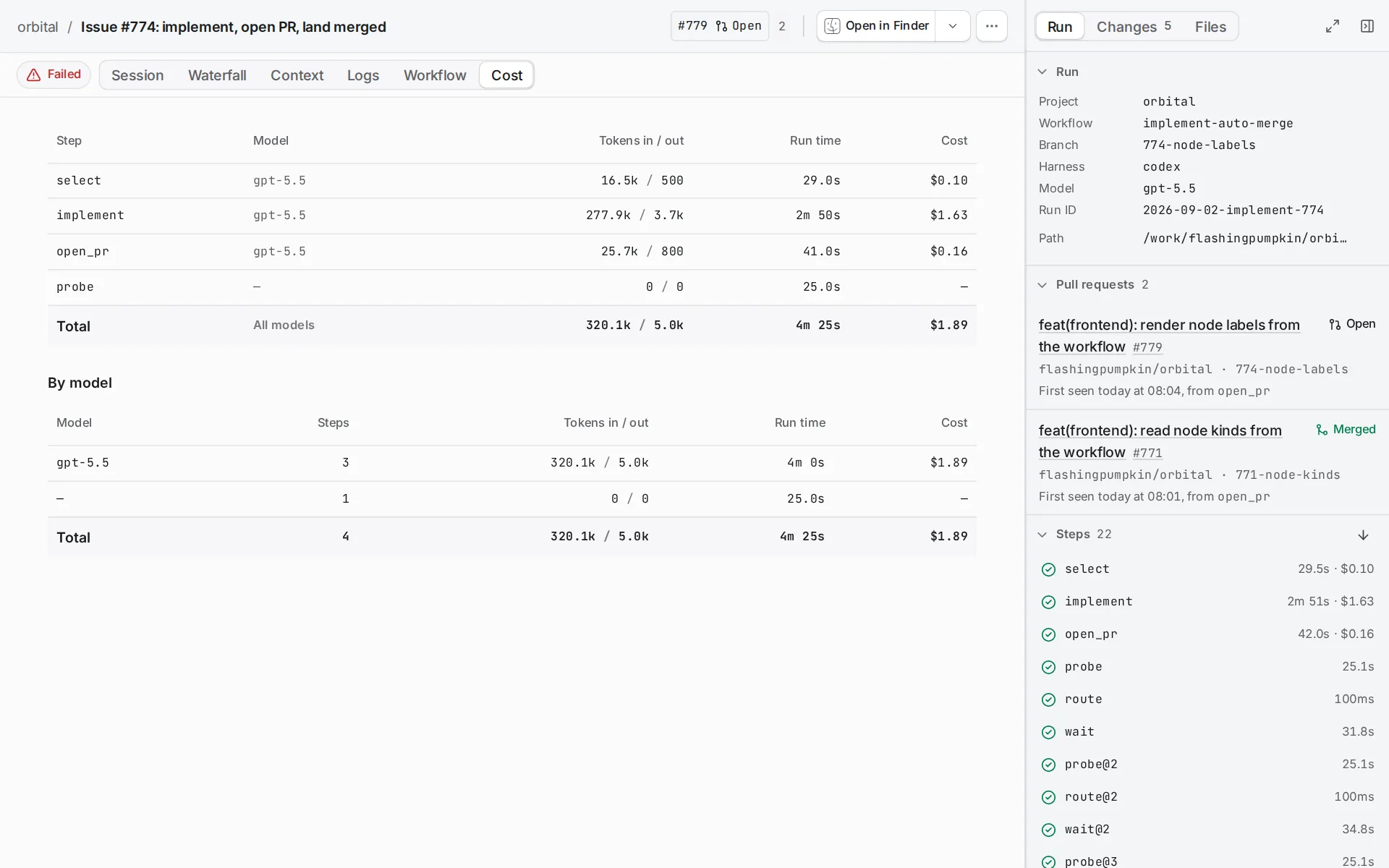
The Tokens by model table on the run’s Cost tab lists each model the run used. A step whose spend ran on several models, such as Claude’s main model with its auxiliary Haiku calls, names every one, and Tokens by model splits the step’s spend between them.
A cost marked ≥ is the part Orbital could price, and a note under the table says what is missing:
- Claude reports no usage for the helper calls it makes outside its query pipeline, such as the permission classifier and token-count probes. Its SDK leaves them out of every report it gives, so no Claude step’s cost is complete.
- Claude reports sub-agent and auxiliary spend only as running totals for its session. Orbital records those totals with the run, so a session the run resumes, after a restart or in a paused conversation, counts on from them. When it cannot tell what the totals counted from, such as after they reset or after a model call was cut off mid-reply, it records the main loop’s own calls and leaves the rest out rather than count spend twice.
Change harness during a run
Section titled “Change harness during a run”You can move a stopped run to another harness and retry its step there. Switch a run’s harness describes how, what carries over, and what the quota fallback does.
Related
Section titled “Related”- Give steps a style: a worked example with step, group and workflow styles
- Styles and personas: what a style holds and what ships
- Harnesses and models: which harness a step uses
- Switch a run’s harness: move a stopped run to another harness
- Models and prices: suggested models and how cost is estimated
- Workflow file: the exact resolution order