

Add branches
Send a run to different steps with routes that test what it has learned
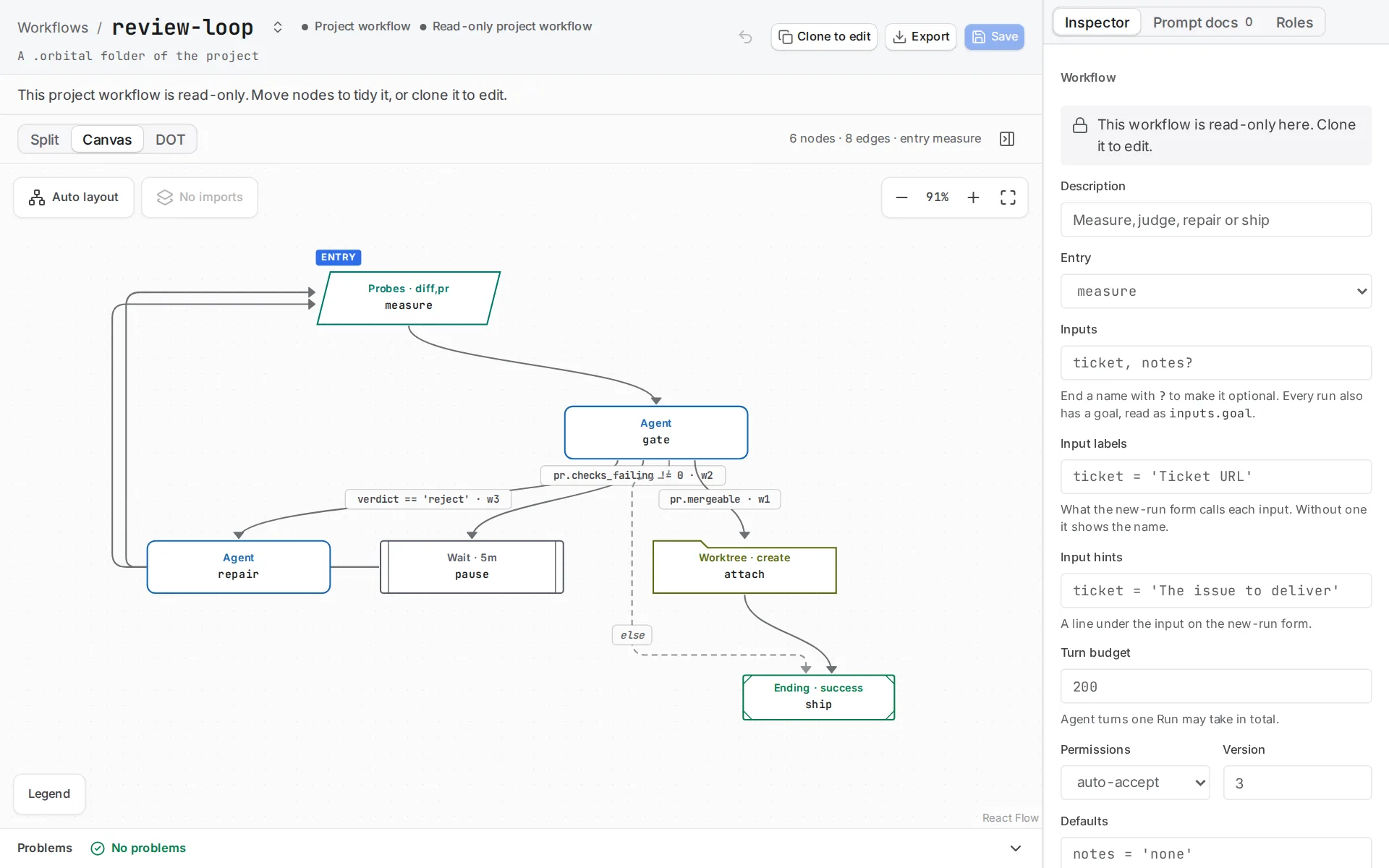
Send a run to different steps depending on what it has just learned. Give the step a list of routes, each with a condition and a step to go to, and the run follows the first one whose condition holds.
[steps.classify]prompt = "If the goal asks for a greeting, choose greet. Otherwise choose explain."outputs.route = { kind = "choice", options = ["greet", "explain"] }routes = [ { if = "route == 'greet'", to = "steps.greet" }, { if = "route == 'explain'", to = "steps.explain" },]How routes choose the next step
Section titled “How routes choose the next step”Routing lives on the step that decides, not in a separate decision step. routes is an ordered list of tables. Each route has an if, the condition, and a to, the step to go to. next is the fallback the run takes when no route holds. A route without if is refused, because that is what next is for.
When a step succeeds, Orbital tries its routes in the order you wrote them and takes the first whose condition holds. Only then does it take next. Put the most specific route first.
A condition compares one context value with a literal, such as verdict == 'pass', verdict != 'pass' or attempts == 3. It can also test a value on its own, such as git.worktree.clean, or its negation, !git.worktree.clean. The context. prefix is optional, and an input reads by its name, such as mode == 'quick'. You cannot join conditions with and or or or compare two context values, so every route stays readable in the file. Conditions lists every form a condition takes.
Choose what to branch on
Section titled “Choose what to branch on”Decide first what produces the value you branch on. The answer changes the cost and the reliability of the branch.
- Use a probe step when Orbital already observes the fact. The ticket workflow routes on
github.pr.statewithout asking an agent whether a merge happened. - For another exact observation, use a command step with declared
bool,numberortextfacts, such asfacts.tests.pass = "bool". Its last line of output must be the JSON object exactly as declared. Keep the script read-only when it only inspects something. - For judgement, give an agent a
choiceoutput. Orbital refuses any answer outside its options before it reaches context. Sooutputs.verdict = { kind = "choice", options = ["pass", "reject"] }accepts nothing else.
A probe or a script gives an exact answer at no agent cost. The example below branches on judgement, so an agent makes the choice.
A choice can describe each option, which helps the agent pick the right one. Give options as a table of values and descriptions in the output’s own table; the options keep the order you write them in:
[steps.pick.outputs.next]kind = "choice"options.ticket = "A ticket is ready to ship"options.none = "Every ticket is shipped"options.blocked = "The remaining tickets wait on people"A choice without options offers the values its routes test.
To let a small decision model make the choice instead, with a default route when it cannot, see Decide with a model.
Cover every case
Section titled “Cover every case”A branching step needs next, unless its routes answer every option of the choice output they test. A run where nothing matches stops with an error, so validation asks for next before the run starts.
Before you start
Section titled “Before you start”You need a harness you have signed in to, and a project in Orbital. Any project works. It does not need to be a Git repository, unless you run the example with Codex, which needs one. See Projects and folders.
1. Download the example
Section titled “1. Download the example”Download the example and unpack it into ~/.orbital/workflows/. Keep every relative path.

version = 3entry = "steps.classify"
[steps.classify]prompt = "If the goal asks for a greeting, choose greet. Otherwise choose explain."outputs.route = { kind = "choice", options = ["greet", "explain"] }routes = [  { if = "route == 'greet'",   to = "steps.greet" },  { if = "route == 'explain'", to = "steps.explain" },]
[steps.greet]prompt = "Write a friendly greeting."next = "steps.done"
[steps.explain]prompt = "Explain the goal in one sentence."next = "steps.done"
[steps.done]kind = "terminal"
classify declares route as a choice of greet and explain, and Orbital refuses any other answer before it reaches context. Its routes are tried in order, and between them they answer both options, so this step needs no next. greet and explain each name done as their next.
2. Validate it
Section titled “2. Validate it”orbital validate ~/.orbital/workflows/conditional.toml3. Run it
Section titled “3. Run it”Choose New task, pick any project, and choose the conditional workflow and your harness. One project serves every example. Use a greeting as the goal to select greet, or any other goal to select explain.
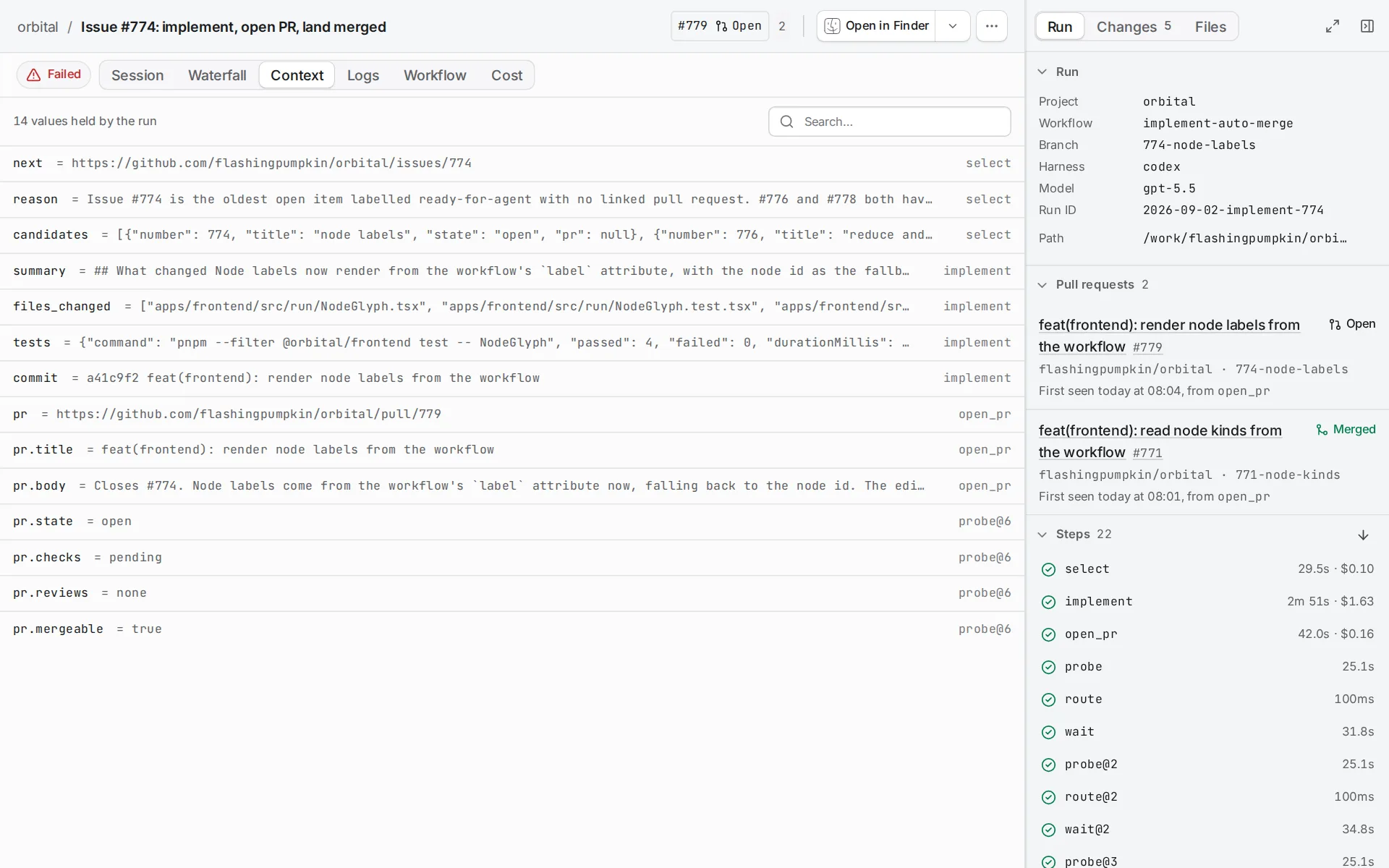
Exactly one response step runs before done. The run’s Context tab shows each value the run holds and the step that set it.
Related
Section titled “Related”- Routes and conditions: every form a route and a condition take, and the fallback rules.
- Add a loop: send rejected work back for repair, with a bound.
- Pass context between steps: the values a condition can read.
- Error handling: what happens when a step fails.