

Add a loop
Send work back to an earlier step, and stop the loop after a set number of rounds
Send work back to an earlier step when a review rejects it. A loop is any route or next that points back at an earlier step, and nothing else marks it.
[steps.review]routes = [  { if = "verdict == 'pass'",   to = "steps.done",      resets = "budgets.answer" },  { if = "verdict == 'reject'", to = "steps.repair",    spends = "budgets.answer" },  { if = "verdict == 'reject'", to = "steps.exhausted" },]
[steps.repair]next = "steps.review"
Writing a loop is easy. The work is in stopping it.
How a loop stops
Section titled “How a loop stops”Orbital gives you two ways to stop a loop, and two ways to make a long loop cheaper.
Budgets
Section titled “Budgets”A budget limits how many rounds one piece of work may take through a loop. It is the bound to reach for when an agent may need several corrections but must not correct forever. Declare it at the top of the file with its number of rounds, five by default:
[budgets.answer]rounds = 5Then name it on the routes of the step that decides:
| Key on a route | What it does |
|---|---|
spends = "budgets.answer" |
Taking the route uses one round. Once no rounds are left, Orbital skips the route and takes the next one whose condition holds. |
resets = "budgets.answer" |
Taking the route fills the budget again. Put it on progress, such as a passing review or new work. |
next written as a table can reset a budget too, as next = { to = "steps.select", resets = "budgets.answer" }, so work that moves on past every check starts with full rounds. It cannot spend one: only a route with a condition spends.
Write the route for an empty budget straight after the route that spends it, with the same condition. That route is where the loop ends: a terminal, or a step that reassesses the work.
rounds may read an input, as rounds = "{{ inputs.max_rounds }}", so the person who starts the run sets the bound. A budget is shared by name across the whole workflow, imports included, and it survives a restart, a resume and a loop restart. Budgets gives the full rules.
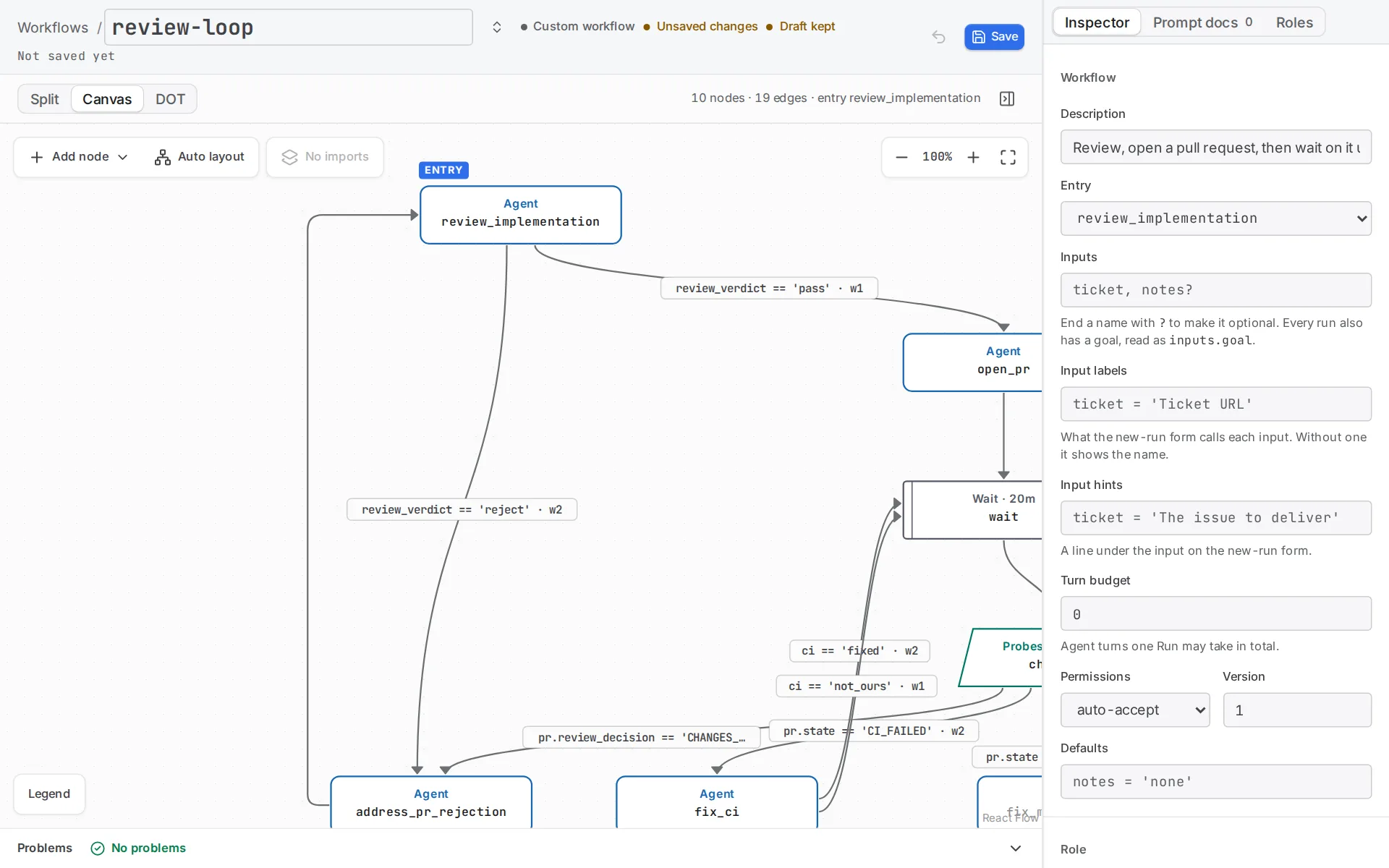
In the editor, each route that loops back shows its condition.
Visit caps
Section titled “Visit caps”max_visits on a step caps every visit to that step for the life of the run, whatever the reason. max_visits at the top of the workflow caps the run’s agent turns, 200 by default. Probes, actions, commands and waits do not spend it.
| Limit reached | Result |
|---|---|
| The workflow’s limit | The run ends Failed. |
| A step’s own limit | That visit fails, and the run is Paused with “Waiting on you”, whatever failure routes the step has. |
Visit caps stay independent of budgets. Treat them as the outer guard, not as the way the loop is meant to stop. A budget counts the rounds of one piece of work, fills again on progress and runs out into a route you wrote. A visit cap counts every visit and stops the run. See max_visits.
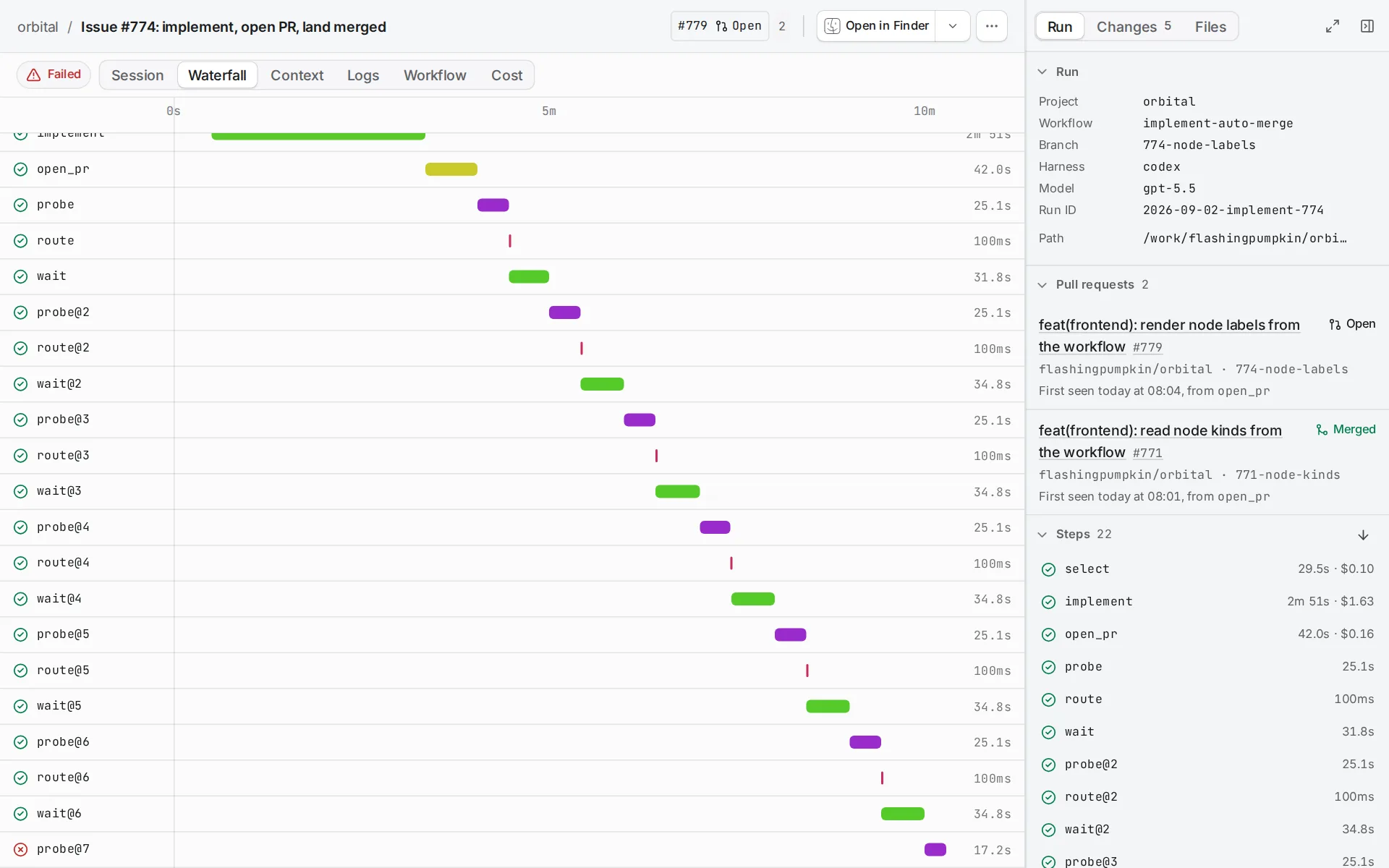
A poll loop watches something outside the run, such as a pull request, a build or a queue. Put a wait step in it. Waiting spends no agent visits, and you can choose Skip to check again now. Add gates and waits covers the wait step itself.
Loop restart
Section titled “Loop restart”loop_restart = true on the route back clears the values the loop wrote to context, the history of finished steps that later prompts show, and every thread’s session. It keeps the original inputs, the run’s identity, the visit counts and the budgets. A route takes it as a key, { if = "verdict == 'pass'", to = "steps.select", loop_restart = true }, and next takes it in a table, next = { to = "steps.select", loop_restart = true }.
Use it when the next pass is a new piece of work, not another attempt at the same one. Without it, each prompt in the loop carries the history of every earlier pass. See loop_restart.
Failure is not a loop
Section titled “Failure is not a loop”A failed step takes the first route whose condition holds and never takes next. When the workflow knows how to recover, route outcome == 'failed' to a repair prompt that reads {{ context.failure_reason }}. Then return to the observation or review that proves the recovery worked.
Make exhaustion visible with a terminal or a step that reassesses the work. A failed terminal ends the run as Failed. A failed step with no route for the failure leaves the run Paused, with “Waiting on you”. Troubleshooting explains how to tell them apart in the app, and Error handling gives the exact rules.
Before you start
Section titled “Before you start”You need a harness you have signed in to, and a project in Orbital. Any project works. It does not need to be a Git repository, unless you run the example with Codex, which needs one. See Projects and folders.
1. Download the example
Section titled “1. Download the example”This workflow reviews an answer and sends rejections to a repair step. It gives up after five unsuccessful rounds instead of looping forever. Download the example and unpack it into ~/.orbital/workflows/. Keep every relative path.

version = 3entry = "steps.review"max_visits = 30
[budgets.answer]rounds = 5
[steps.review]prompt = "Review the goal and any previous repair. Choose pass or reject."outputs.verdict = { kind = "choice", options = ["pass", "reject"] }routes = [  { if = "verdict == 'pass'",   to = "steps.done",      resets = "budgets.answer" },  { if = "verdict == 'reject'", to = "steps.repair",    spends = "budgets.answer" },  { if = "verdict == 'reject'", to = "steps.exhausted" },]
[steps.repair]prompt = "Revise the proposed answer to the goal."next = "steps.review"
[steps.done]kind = "terminal"
[steps.exhausted]kind = "terminal"outcome = "failed"label = "Five repairs did not pass review"
Three routes leave review, and Orbital tries them in order:
| Route | What it does |
|---|---|
verdict == 'pass' to done, with resets |
Goes to done and fills the budget again. In a workflow that carries on, the next piece of work would get five rounds. |
verdict == 'reject' to repair, with spends |
Uses one round and sends the answer for repair. |
verdict == 'reject' to exhausted |
Taken once the budget is empty, because Orbital then skips the route above it. |
The routes answer both options of verdict, so review needs no next. max_visits = 30 is the outer guard.
2. Validate it
Section titled “2. Validate it”orbital validate ~/.orbital/workflows/bounded-retries.toml3. Run it
Section titled “3. Run it”Choose New task, pick any project, and choose the bounded-retries workflow and your harness. One project serves every example. Write the goal the review step should judge, and start the run.
The first passing verdict ends the run successfully. A rejection starts up to five repairs. A sixth rejecting review ends at exhausted with a failed outcome.
Choosing how to stop a loop
Section titled “Choosing how to stop a loop”| You want to | Use |
|---|---|
| Allow a few corrections of one piece of work | A budget, spent on the route back and reset on the route for progress, with a route for when it runs out. |
| Guard against a loop that never ends | max_visits on the step or the workflow. |
| Check on something outside the run | A wait in the loop. |
| Start each pass as new work | loop_restart = true on the route back. |
| Recover from a failed step | An outcome == 'failed' route to a repair prompt. |
Related
Section titled “Related”- Add branches: how routes choose the next step.
- Add gates and waits: pause a loop for time or for a person.
- Pass context between steps: what a loop restart clears from context.
- Error handling: how failed steps and budgets behave.