

Triggers
Rules that start, stop, pause or message runs when something happens
A trigger rule acts on your runs when something happens: a pull request opens, a Linear issue moves, or a time of day comes round. You write the rule once, and it can start a run, or stop, pause or message the runs already working on that item.
Rules belong to a project. They are never part of a workflow file.
Turn triggers on
Section titled “Turn triggers on”-
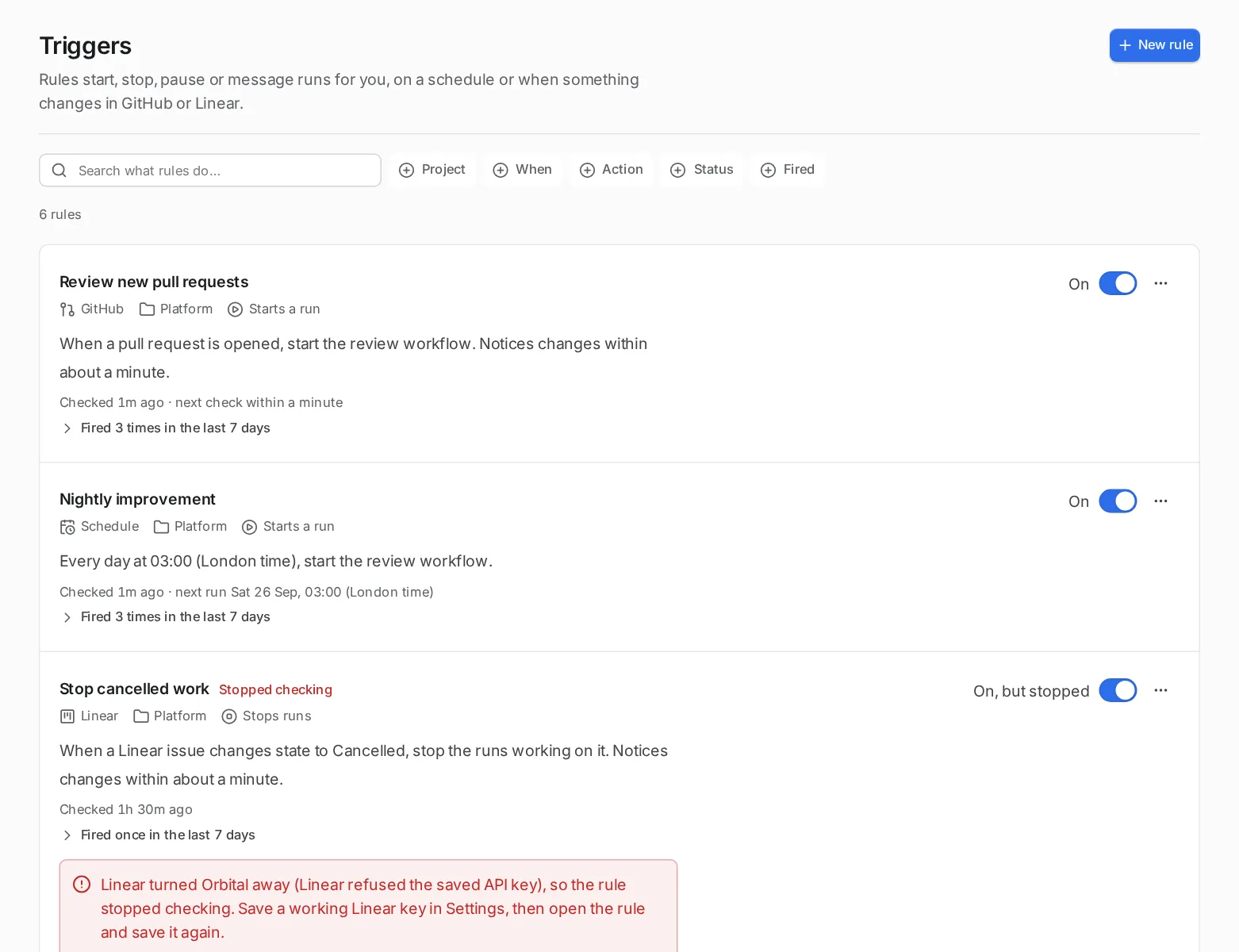
Open the experimental features.
Open Settings > Experimental features.
-
Turn on Triggers.
Turn on Triggers. Its switch reads “Rules that start, pause, stop or message runs when GitHub, Linear or a schedule says so.”
-
Find your rules.
Triggers now appears in the sidebar. Each project’s page also gets a section for its trigger rules.
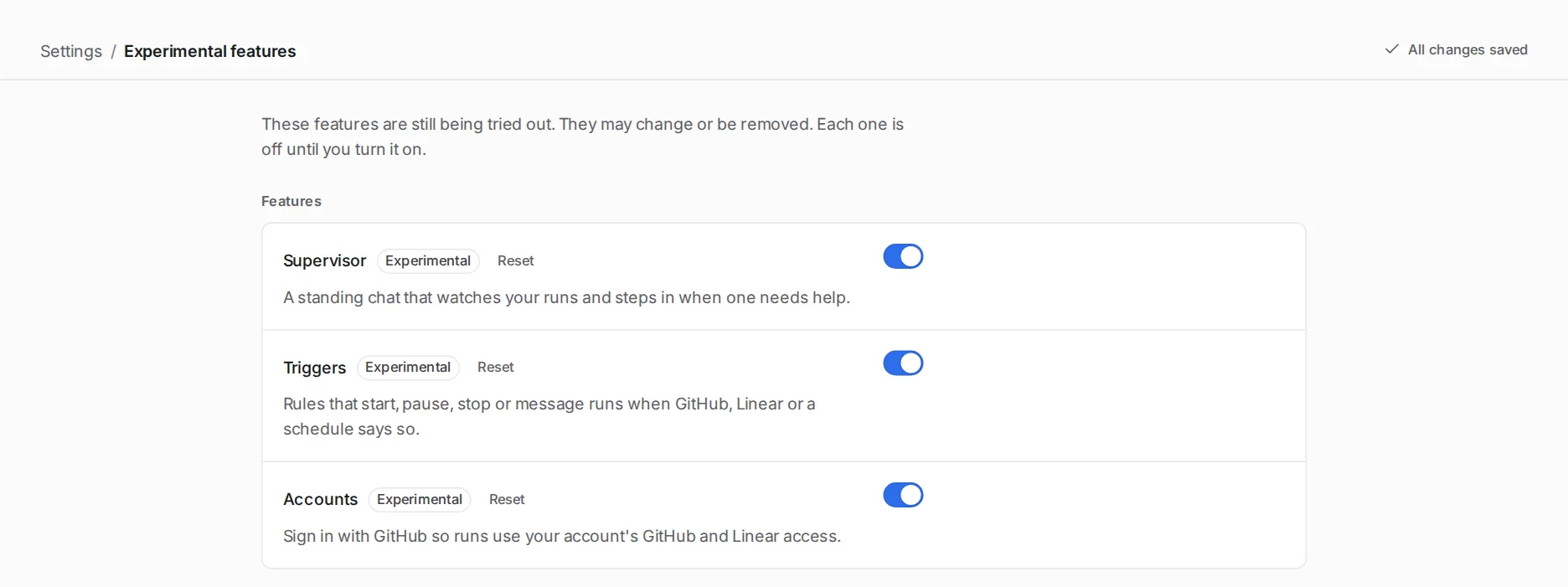
While the feature is off, Orbital checks nothing and the Triggers page says “Triggers are turned off”. Orbital keeps your rules, and when you turn the feature back on, each rule resumes from then, and changes made while it was off are skipped. A rule you switch off and on again also resumes from now.
What can set a rule off
Section titled “What can set a rule off”Each rule has one source, and the source says what event the rule waits for.
| Source | When | What it needs |
|---|---|---|
| Schedule | “At set times, such as every weekday morning.” Under “How often?”, pick a preset, choose “Pick days and a time” and select the days and time, or write a cron expression. It uses the time zone of the machine that runs Orbital. | Nothing. |
| GitHub | “When a pull request or issue changes”: opened, closed, reopened, labelled, unlabelled, assigned, unassigned, a review requested, or new commits pushed to a pull request. Choose issues, pull requests or both. For pull requests, Draft status picks “Draft only”, “Ready only” or “Draft and ready”. | A GitHub token; see Settings. |
| Linear | “When a Linear issue changes”: created, moved to another state, handed to someone else, a label added or removed. | A Linear key in Settings > Linear. |
Orbital checks each source on a schedule, not by webhooks. You choose how soon it notices a change: “Within about a minute (recommended)”, within five or fifteen minutes, or within an hour.
“New commits are pushed to a pull request” fires once for each new head commit Orbital sees on an open pull request, including a force push and a pull request from a fork. Several pushes between two checks count as one, at the newest commit. Comments, reviews, labels, title edits and draft status changes are not pushes. When a rule starts watching pushes, the pull requests already open are not reviewed until they get new commits. Each check reads the commits of the open pull requests, a hundred to a request and at most a thousand, and the next check carries on until it has read them all, then starts again. So in a repository with more than a thousand open pull requests, a push may be noticed a few checks later, and a pull request that closes while Orbital reads the list may shift another past it until the next time round. Commits pushed to a pull request before Orbital has noted it become where it starts, so they start no review, because Orbital cannot tell them from a title edit. A dry run cannot look back at pushes, because GitHub keeps no record of when a pull request’s commits arrived.
Draft status decides which pull requests the rule acts on, for openings and new commits alike. It never marks a pull request as draft or ready on GitHub. A rule that asks for “Draft only” or “Ready only” skips a pull request whose draft status GitHub did not report.
What a rule does
Section titled “What a rule does”Each rule has one action.
| Action | What it does |
|---|---|
| Starts a run | “Orbital starts a workflow and hands it a goal.” Choose the workflow, and optionally the harness and model. |
| Stops runs | “Stops the runs already working on this item.” |
| Pauses runs | “Pauses the runs working on this item so you can look.” |
| Messages runs | “Sends the runs working on this item a note.” |
Stop, pause and message act only on runs a trigger started for the same pull request or issue. “A schedule can only start runs.”
A rule starts at most one run at a time for each pull request or issue. When an event arrives while a run the rule started for that item is still working, the rule starts nothing and its recent firings show “Skipped”, naming the run. Runs other rules or you started do not count, and “Run now” always starts.
A schedule tick that passes while Orbital is closed or asleep is not lost. When Orbital returns, the latest missed tick runs once, with that tick’s {{ date }} and {{ time }}, and its recent firing says “as scheduled, 40 min late”. Earlier missed ticks start nothing and show as “Missed”. If Orbital is not back before the next tick, that tick runs on time and the missed one shows as “Missed”. A schedule switched off and on again starts from then and shows nothing missed for the time it was off.
A rule that starts runs starts at most five in one check. When a check matches more, such as after a bulk label edit or a long time offline, the first five in event order start, and each of the others is recorded as “Skipped” in the rule’s recent firings with the number of matches. Skipped events never start later. Stop, pause and message rules have no limit.
A check reads only the newest changes: up to 1,000 per kind of change on GitHub, and about 500 issues on Linear. When a repository or team changed more than that since the last check, Orbital acts on what it read and skips the older changes. The rule’s row says which scope it was and the time before which changes were skipped, until the next complete check, and the check stays in the recent firings.
The goal of a started run is a template that can use the values the event carries:
| Source | Values |
|---|---|
| Schedule | {{ date }}, {{ time }} |
| GitHub | {{ url }}, {{ number }}, {{ title }}, {{ author }}, {{ repository }}, {{ head_branch }}, {{ head_sha }}, {{ base_branch }}, {{ event }} |
| Linear | {{ identifier }}, {{ url }}, {{ title }}, {{ team }}, {{ state }}, {{ assignee }}, {{ event }} |
For example, Review {{ url }}: {{ title }}.
Conditions
Section titled “Conditions”Add conditions under “Only if” to narrow a rule down, so it acts only on what matters.
| Part | What it does |
|---|---|
| Value | What the condition looks at, such as the author, a label or the target branch. |
| Comparison | “is any of”, “is none of” or “contains”. |
| “and” or “or” | Combines the conditions in one group. |
| “Or when…” | Adds another group. Any group that matches sets the rule off. |
On a label or assignee event, the Label and Assignee conditions test only the label or person that changed. “When a pull request gets a label, labelled needs-review” fires when needs-review is added, not when docs is added to a pull request that already has it, and “is none of” fires for any added label except the ones named. The same holds for GitHub labelled, unlabelled, assigned and unassigned, and for Linear labels added or removed. On any other event, such as opened or pushed, these conditions test all the item’s current labels and assignees.
Quick reference
Section titled “Quick reference”| You want to | Source | Action |
|---|---|---|
| Review every new pull request | GitHub, a pull request is opened | Starts a run |
| Improve the codebase every weekday morning | Schedule | Starts a run |
| Stop a run when its Linear issue is cancelled | Linear, an issue moves to another state | Stops runs |
| Look at a run before it goes further | GitHub or Linear | Pauses runs |
| Tell a working run that its item changed | GitHub or Linear | Messages runs |
Related
Section titled “Related”- Make a trigger rule: create, test and follow a rule.
- Review pull requests: a complete rule that reviews every new pull request.
- Settings: where Orbital finds your GitHub token.
- Troubleshooting: fixes for a rule that does not fire.